TitleBlockRep

Based on SWTDO
26.0. 0 .0

bilibli

				
					https://www.bilibili.com/video/BV1Kp4y1A7TC/


  • Multiple selection support: Assembly multiple selection
  • File differentiation and avoidance: Avoidance

Related templates:

D:\SWTDODT\Sheet Formats

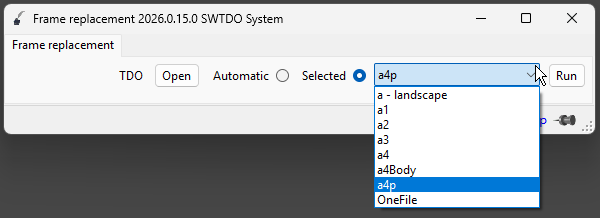
File names within this path cannot be adjusted. Additionally, when the current drawing size differs from A1-A4, the drawing format will default to a-landscape.slddrt. The size of this file can be adjusted when defining the title block for a specific drawing.

Batch edit the title block of engineering drawings

You can add them manually, but we recommend using the add template for creating three views.

The creation of three-view drawings involves adding a template, which appends a series of files. The SheetFormat file is one of these files and will be added automatically. The drawing format file here will change automatically depending on the template selected when creating the three-view drawings.

Please note the “TDO” on the left side of the interface. This will automatically change when you select different templates from the Create Three Views menu.

System initialization
System Initialization
GetNo System
GetNo System
SmartRename
Smart Rename
QuickRename
Quick Rename
CreateView3
Create 3 Views
Prod System
Prod System
Drawing Output
Drawing Output
Model Output
Model Output
Path batch processing
Path Batch
Notepad
Notepad
Plugin System
Plugin System
SM Flatten
Sheet Metal Output
Bolt Statistics
Bolt Statistics
SpeedUP
Part SpeedUp
Random Color
Random Color
View Annotation
View Annotation
Body List
Body List
Format Properties
Format Properties
Backup System
Backup System
Drafting Standard
Drafting Standard
TitleBlockRep
Title Block Replacement
AI Assistant
AI Assistant
Self Test
Self Test
Property Manager
Property Manager
GenCode
Serialize DWG No
HPandR
Help & Activate
FixRefs
Fix References
OpenPath
Open Path
QIKNo
Quick GetNo
DataControl
DataControl
Scroll to Top